Revision timeline
The Revision panel at the bottom of VS Code shows a timeline of commits for the selected project.
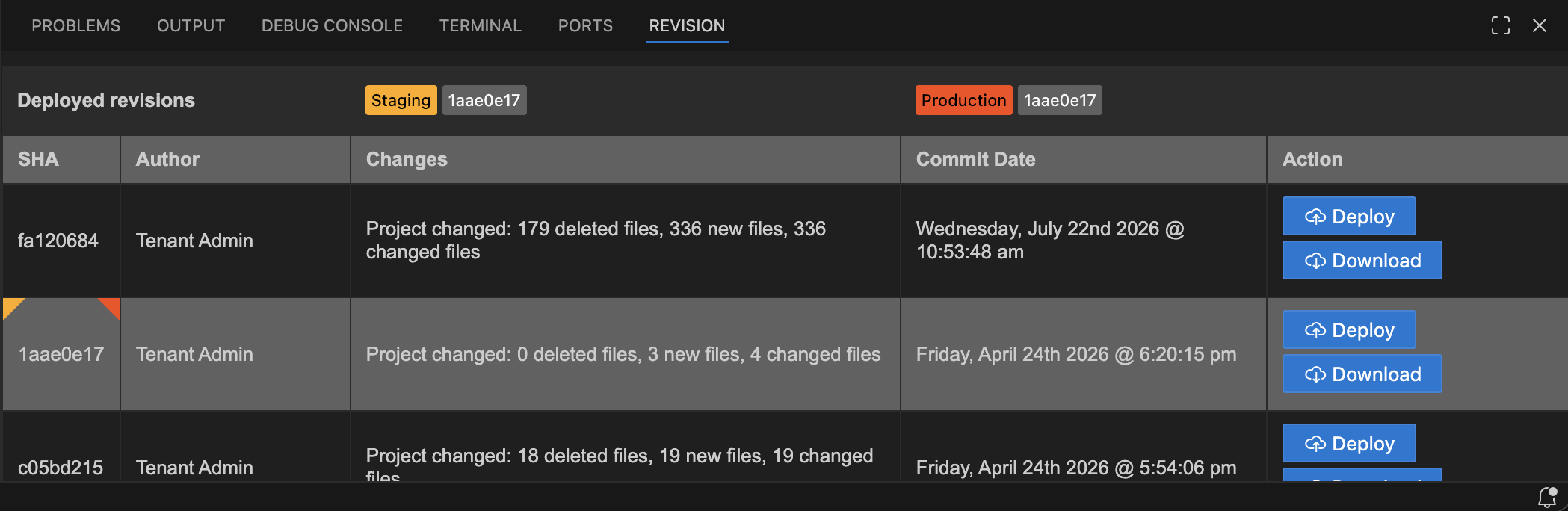
Header badges: Show which revision is currently deployed to Staging and Production.
Each revision row shows:
| Column | Description |
|---|---|
| SHA | Short commit identifier |
| Author | Who made the commit |
| Changes | Files changed in this revision |
| Commit date | When it was committed |
| Download | Download this specific revision |
| Deploy | Deploy this specific revision (active projects only) |
Load more: Scroll to the bottom of the list to load additional revisions (10 at a time, newest first).
If no project is selected the panel shows "Select a project to display its revisions."