Create a placeholder
'priint: Create new Placeholder'
1. Select the type of placeholder that needs to be created
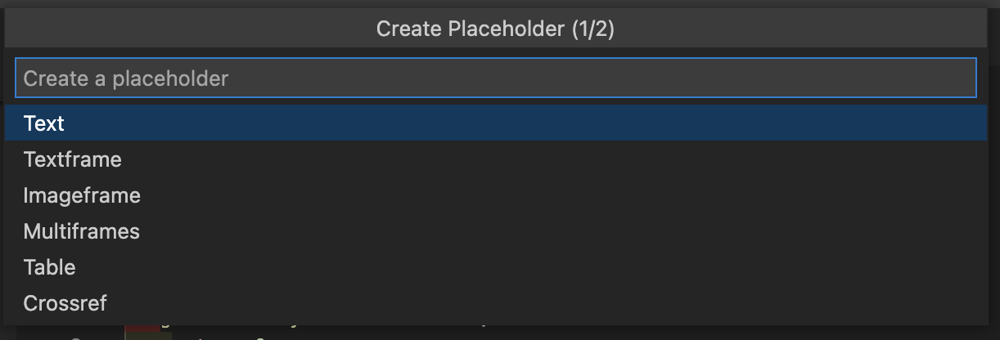
2. Type in the name of the placeholder
3. A new entry will be inserted into placeholder.xml
Based on the type of the placeholder either a load script or a build script will be created. Only in case of the multi frame will we generate a build script.
Sync script will default to -1, which means use the load script also for the sync.
timestamp will be set to the time of creation.
<placeholder>
    <id>10</id>
    <name>MainImage</name>
    <description></description>
    <type>text</type>
    <domain></domain>
    <domainid>0</domainid>
    <class>3</class>
    <load>10</load>
    <sync>-1</sync>
    <store>0</store>
    <lov>0</lov>
    <color>
        <id></id>
    </color>
    <style></style>
    <styleid>0</styleid>
    <syncstateinvisible>0</syncstateinvisible>
    <loadconstraint>0</loadconstraint>
    <active>1</active>
    <timestamp>1630237759813</timestamp>
</placeholder>
Special Case - Crossref placeholder
<placeholder>
    <id>10</id>
    <name>Cross-Reference</name>
    <description></description>
    <type>crossref</type>
    <domain></domain>
    <domainid></domainid>
    <class>3</class>
    <load>10</load>
    <sync></sync>
    <store>0</store>
    <lov>0</lov>
    <color name="">
        <id>6</id>
    </color>
    <style></style>
    <styleid>0</styleid>
    <syncstateinvisible>0</syncstateinvisible>
    <loadconstraint>0</loadconstraint>
    <active>1</active>
</placeholder>
4. A new entry will be inserted into actions.xml
A new entry will be generated in the actions.xml based on the latest calculated id. Based on the type created load or build concat the script type to the placeholder name.
Example: MainImage (load)
timestamp will be replaced with the current timestamp.
<action>
		<id>10</id>
		<name>MainImage (load)</name>
		<sequencenr>0</sequencenr>
		<classid>0</classid>
		<domain>0</domain>
		<type>1</type>
		<inputdocumentation></inputdocumentation>
		<outputdocumentation></outputdocumentation>
		<timestamp>1604259029778</timestamp>
	</action>
5. A .crpt file will be generated
A new .crpt file will be created with an id value that is matching the action.
Depending on your project a shebang for Python will be added so that the plugins will use the python interpreter automatically.
#!py
Pragma plain will cause the plugins to interpret the code as plain text and doesn't try to decrypt it.
#pragma plain
CScript:
#pragma plain

int main() {

    return 0;
}
Python:
#!py
#pragma plain

import comet

def main():

	return 0