'priint: Create new Layout Rule or Condition'
Steps
1. Select the type of the Layout Rule/Condition (Frame/Text)
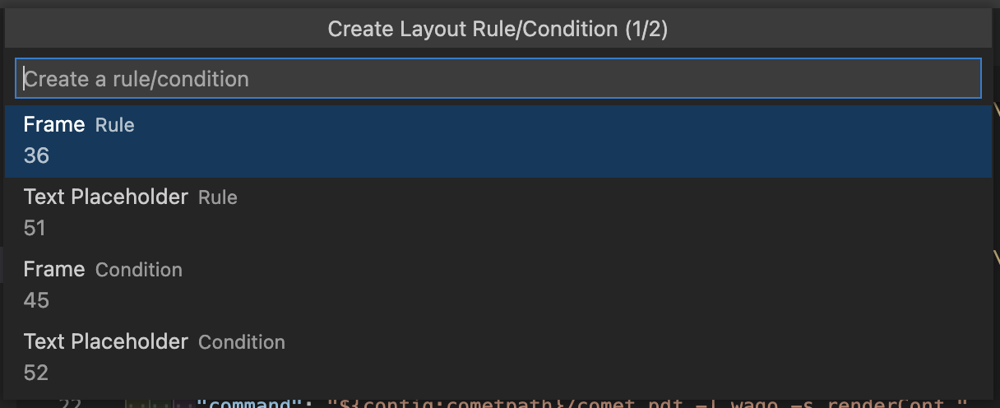
2. Input the name

3. A new entry will be created in theactions.xmlbased on the input.
The latest id will be incremented.
classid will be filled in automatically with the corresponding choice in the 1st step
For layout rules certain execution points would be configurable. Input documentation and output documentation allow you to configure the behavior of the layout rule.
For more information: https://docs.priint-comet.com/InDesign/Plugins/layoutrules.html#Konfiguration
For the purpose of the initial creation the input documentation and output documentation will remain empty.
timestamp will be filled with the timestamp of the creation.
4. A new .crpt file will be created with the same defaults as the [Quick Command
The id will match with the id inside of the action.xml
<actions>
    <action>
		<id>0</id>
		<name></name>
		<sequencenr>0</sequencenr>
		<classid>0</classid>
		<domain>0</domain>
		<type>0</type>
		<inputdocumentation></inputdocumentation>
		<outputdocumentation></outputdocumentation>
		<timestamp>1657791006258</timestamp>
    </action>
    <action>...</action>
</actions>
Relevant XML Structure
<actions>
    <action>
		<id>0</id>
		<name></name>
		<sequencenr>0</sequencenr>
		<classid>0</classid>
		<domain>0</domain>
		<type>0</type>
		<inputdocumentation></inputdocumentation>
		<outputdocumentation></outputdocumentation>
		<timestamp>1657791006258</timestamp>
    </action>
    <action>...</action>
</actions>