Edit panel statement
Continuing from Editor Panel
General
To edit the panel statements open the Panel Statements dropdown and choose the one that you want to edit.
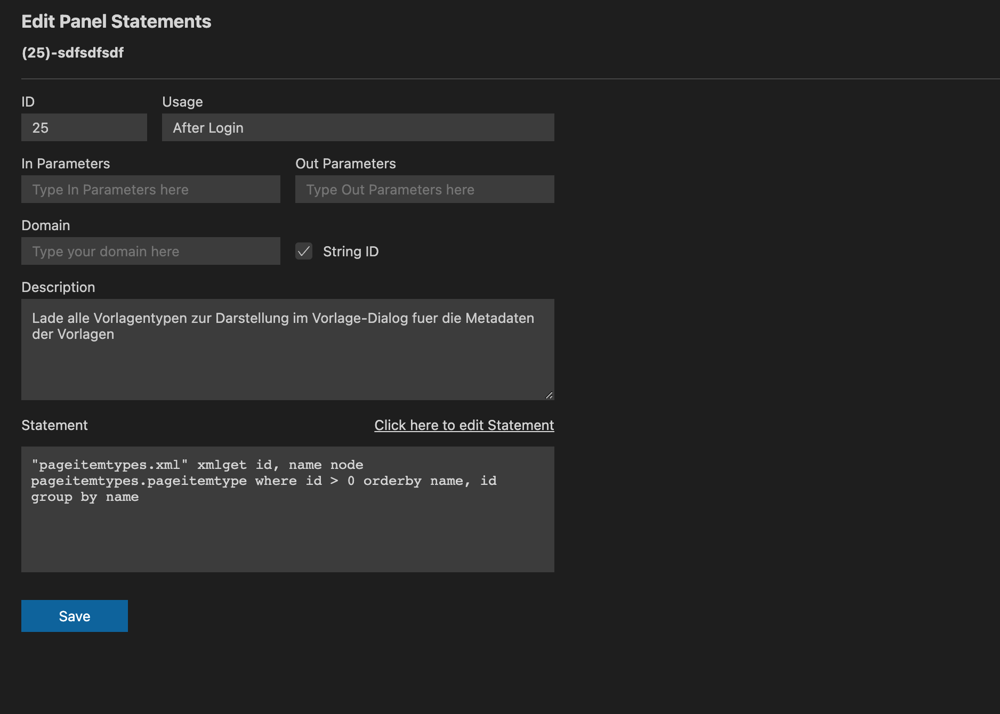
If you want to edit code inside of statement field please click on "Click here to edit Statement".
A code editor will be shown and you can write your code here.

You can also click on the button into the bottom right corner to change language mode.
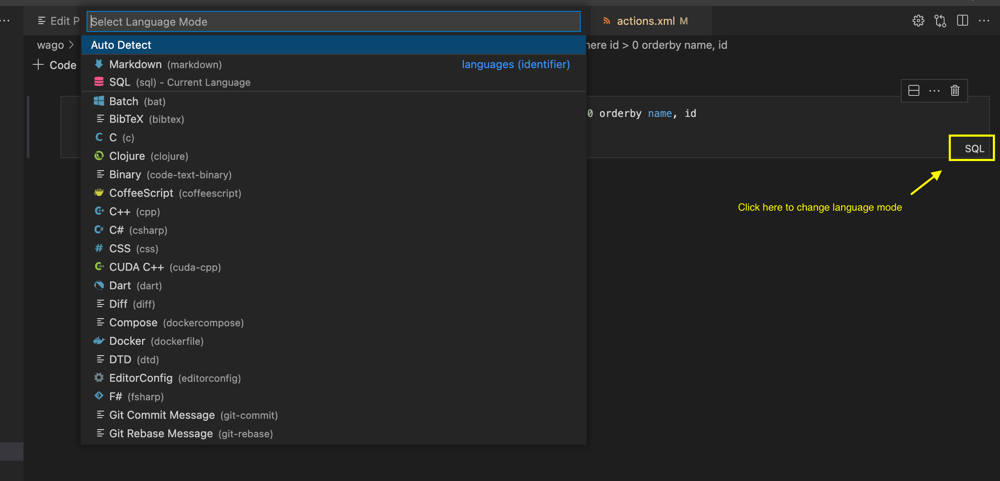
Please note that you must to press save and close the code editor after you finish writing code, if not the updated data will not be written to file.
Relevant XML Structures
<panelstatements>
    <panelstatement>
        <id>120</id>
        <usage>Allowed to delete a page template</usage>
        <domain></domain>
        <statement>
        </statement>
        <in_parameters></in_parameters>
        <out_parameters></out_parameters>
        <description></description>
        <hasstringids>0</hasstringids>
    </panelstatement>
    <panelstatement>...</panelstatement>
</panelstatements>